
Calendar
Plan your day by voice
Basics
Say what you need to do, and it goes on your calendar.

Tasks and Sub-Tasks
Put tasks into any event, and break big tasks into smaller ones.
To-Dos
Keep things with no date yet, and drag them onto an event when you are ready.

Time Tracking

Time every task, and see where your month went.
Links
Connect your Thoughts to events and tasks they are about.
Mark It Up
Highlight, circle, or count down to the things that matter to you.


Jin Mobile
Launches Oct 23rd, 2026
Jin4Mac
Basics
Works with Apple, Google and Outlook calendars
Say it, and it lands on your calendar
Events, reminders and contacts from one sentence
You check each one before it’s saved
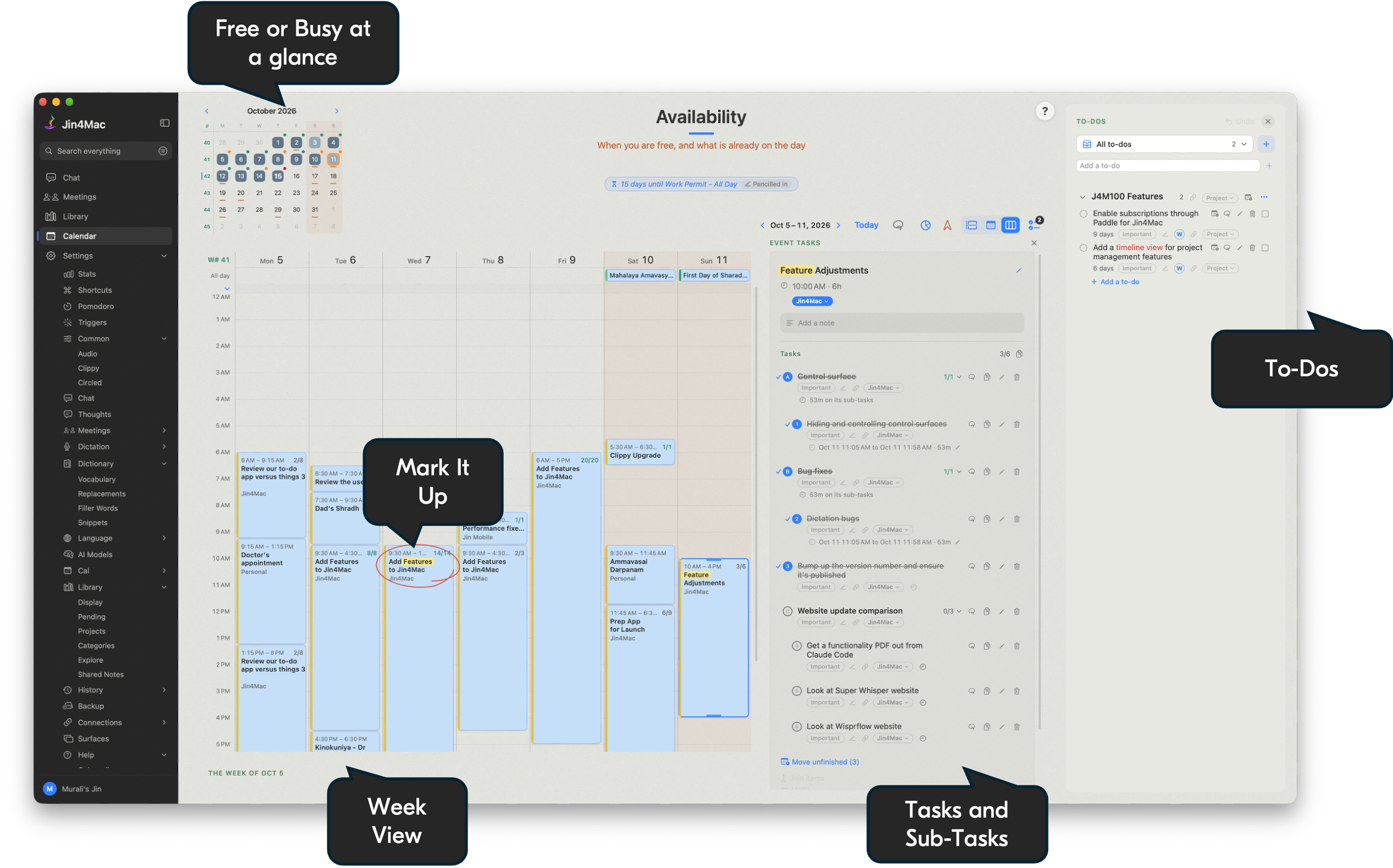
Free or Busy at a glance, inside your working day
Three views: month, week and week hour by hour
Another city’s clock beside yours
Your month as a widget
Tasks and Sub-Tasks
A checklist on any event
Sub-tasks under any task
Speak them in, no typing needed
Progress shows in Apple Calendar, like 2/5
Unfinished tasks can be moved to another day
Slot one event inside another
Copy a list straight into ChatGPT or Claude
To-Dos
A list for things with no date yet

Drop one on an event as a task, or on a day as a new event

Sometime this week, for things with no set day
Each one shows how long it has waited
Groups and headings for bigger jobs
Speak them in, no typing