
Meet Jin Mobile
Your voice-first private assistant, in any language.
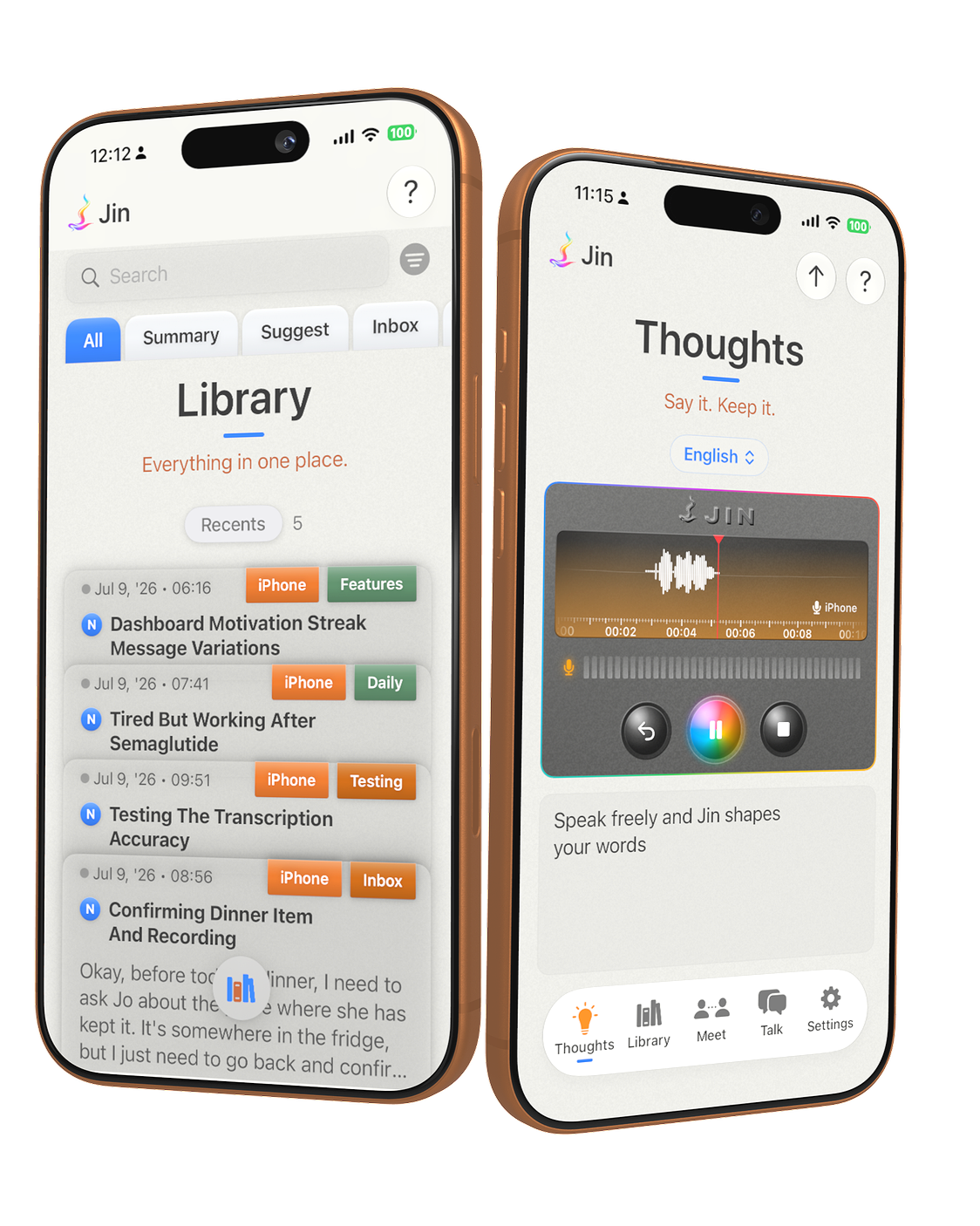
Español · Português · Français · 中文 · 日本語 · 한국어 · हिन्दी · +100 more
Your voice carries more than words: the tone, the pause, the hesitation, the meaning behind them. Jin keeps all of it.
Speak a thought in your own language, and Jin shapes it into clear text, wherever you write.

Your ideas, kept in your pocket
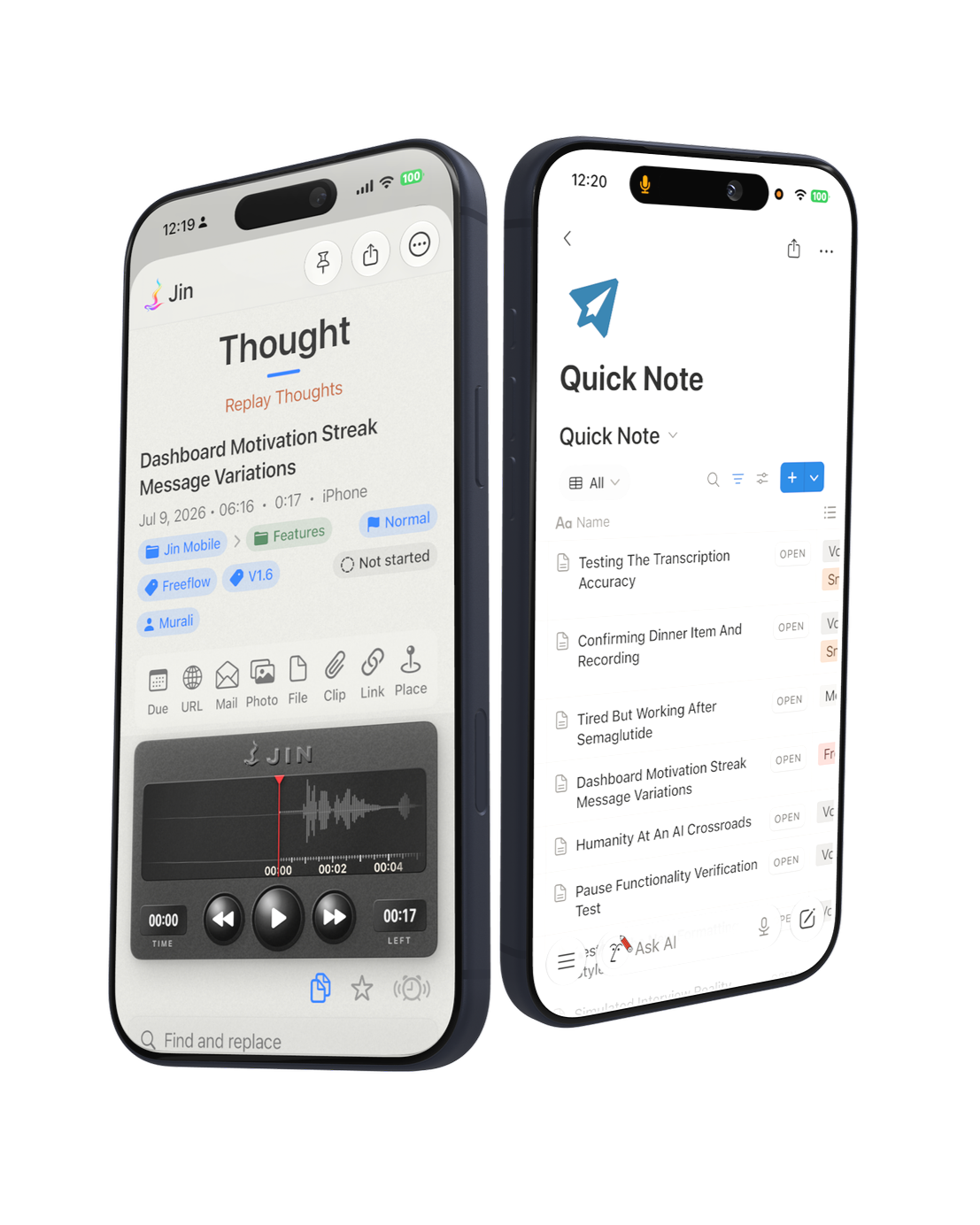
Leave a message for your future self.
Play it back, word by word as you listen.
Add anything: voice, text, photos, files, links, reminders by date or place.
Connect thoughts into one bigger idea.
Then it flows straight into Notion, audio and transcript, intact.
*iPhone, iPad and Apple Watch • iOS 17.4 and later
Refer our Privacy Policy here*
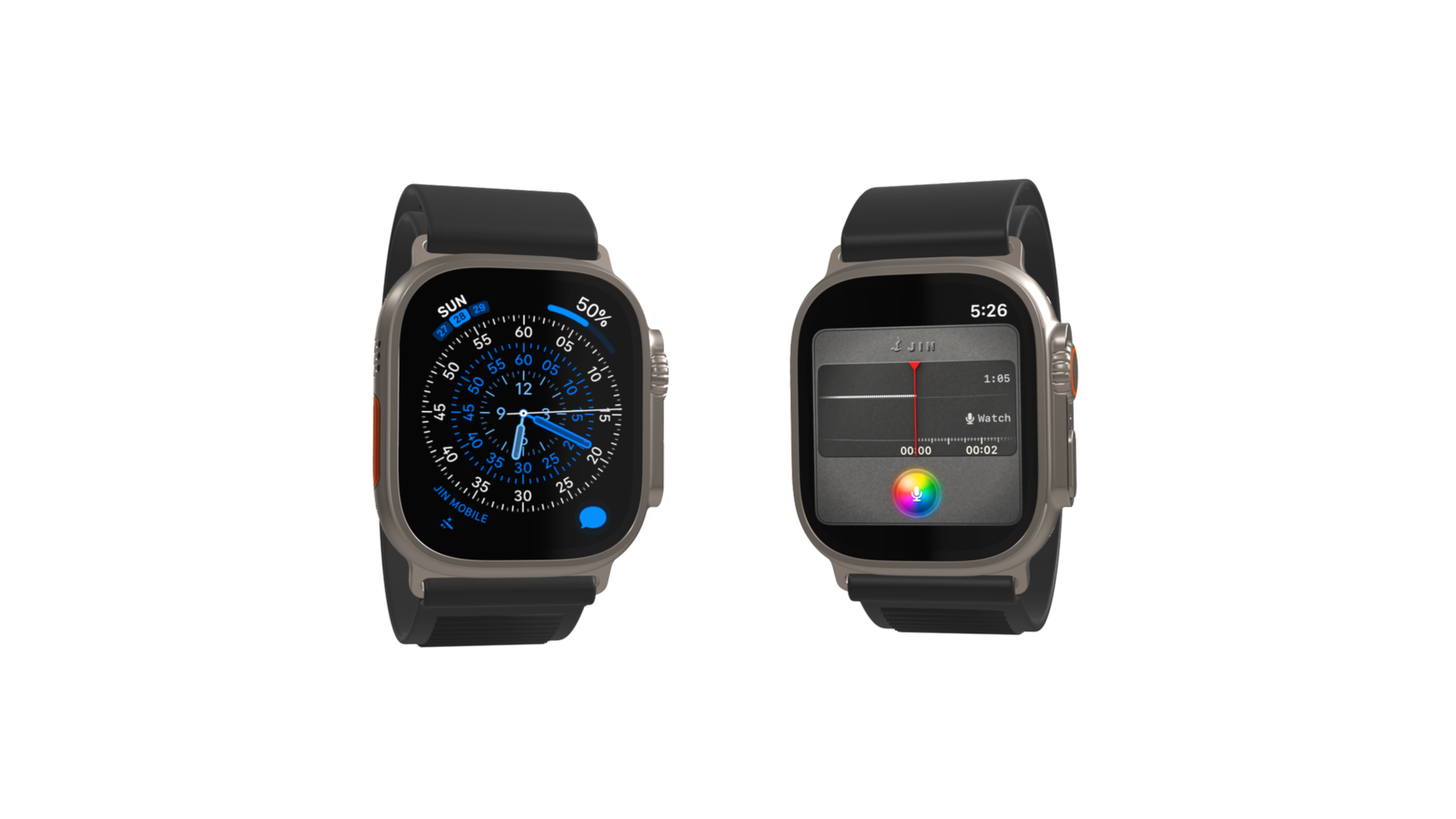
And on your wrist
No phone needed. Just raise, tap and talk.
From your wrist to Notion, Obsidian, or your favourite app.
Some thoughts arrive when your phone is in another room. Jin Mobile lives right on your Apple Watch, a tap from your watch face, so you raise your wrist, tap the Rainbow Microphone, and talk.
The thought records on the watch, then syncs to your iPhone Library on its own, where it lands titled and filed like any other, then flows on to the apps you already use.
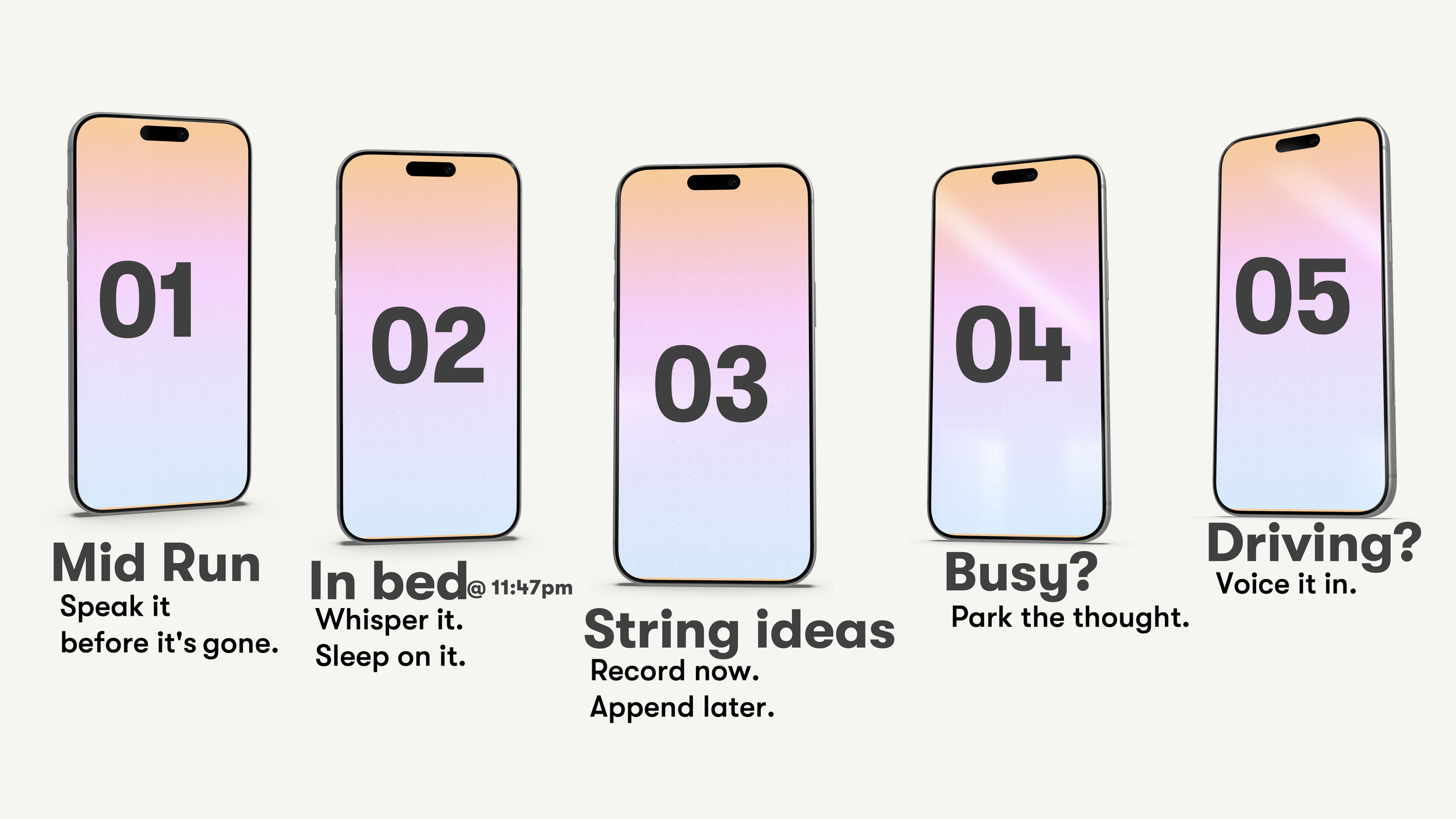
Mid-run, mid-walk, half-asleep: if you can speak, you can capture it.
* Works on Version 1.5.88 and later.
Transcription records words; Jin Mobile captures intent!
Built for moments you can’t write
Speak rough. Send polished - with dictation
Dictate 4x faster, anywhere, offline.
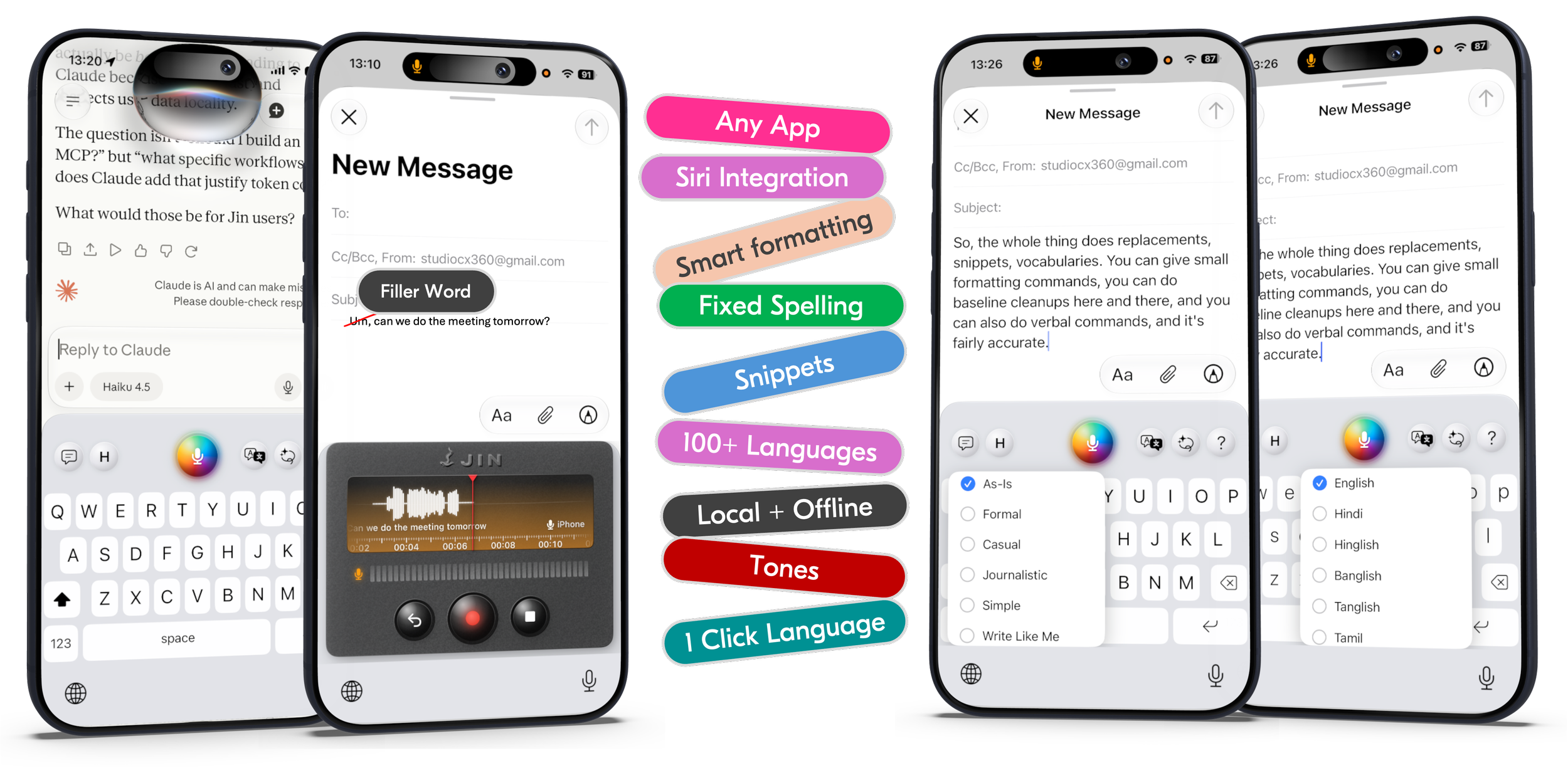
Speak anywhere, instead of type, and clean, formatted text lands in any app.
Polished, not just transcribed: filler gone, punctuation and email/number formatting handled.
Spelled your way: teach it your names, brands, and shortcuts.
Pick your tone: As-Is, Formal, Casual, Texting, Excited.
100+ languages, one tap to switch.
Runs on-device: dictation and cleanup work fully offline.
Speak the language you think in
With just one click.
Half the planet is bilingual, and roughly 9 in 10 people think in a language that isn’t English.
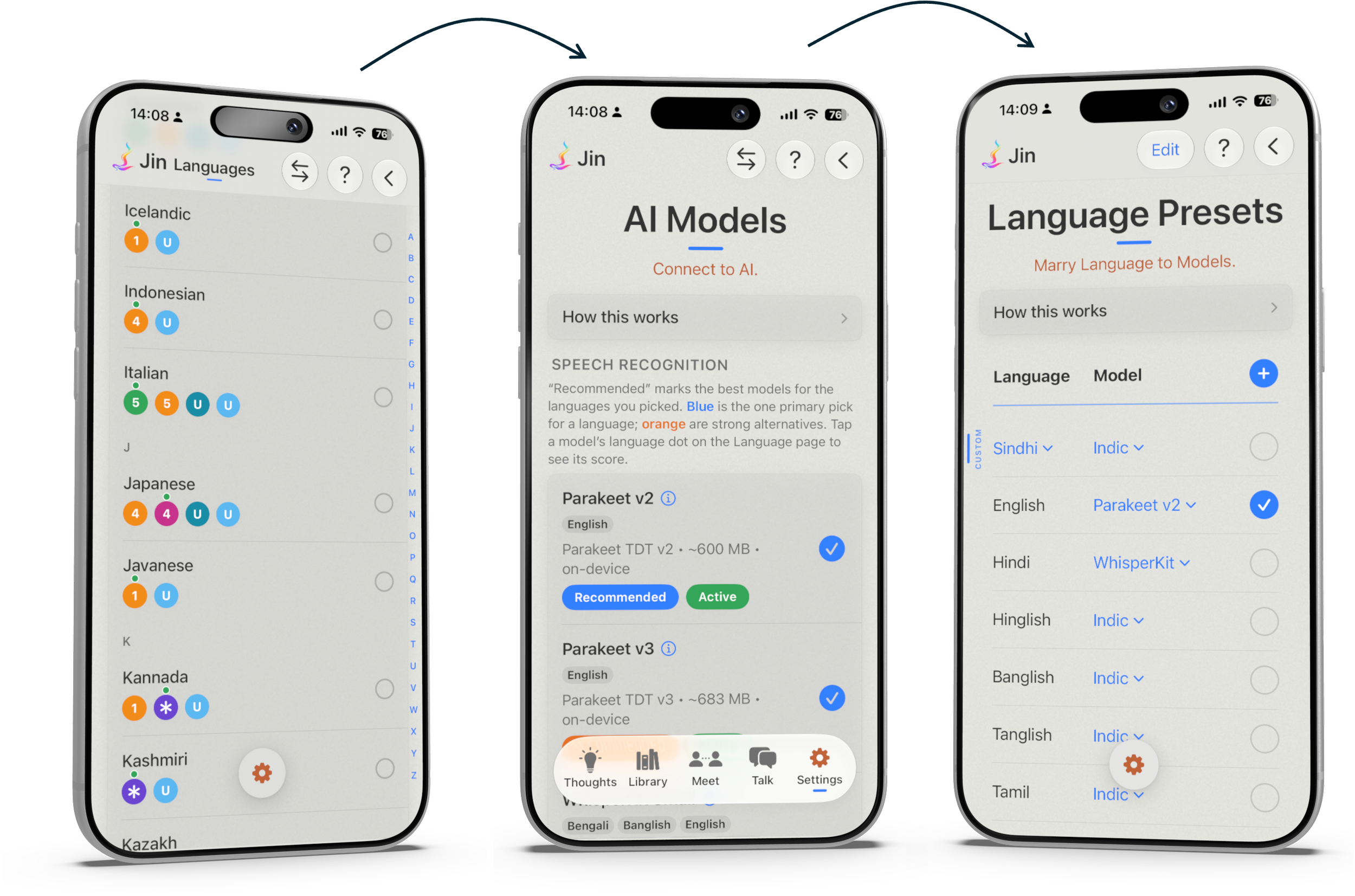
So Jin lets you speak in whichever language you’re thinking in, and switch between them in a tap, right from the keyboard.
Most apps are one-size-fits-all: one model stretched thin across every language. Jin does the opposite: the right model for the right language.
Pick your language, Jin recommends the model, save it as a preset, and you're good to go.
And best of all, it's private: the right model runs on your device, so your words never leave it.
Every year, 1 in 5 people face a language that isn’t theirs.
People travel or live in a country other than their own.
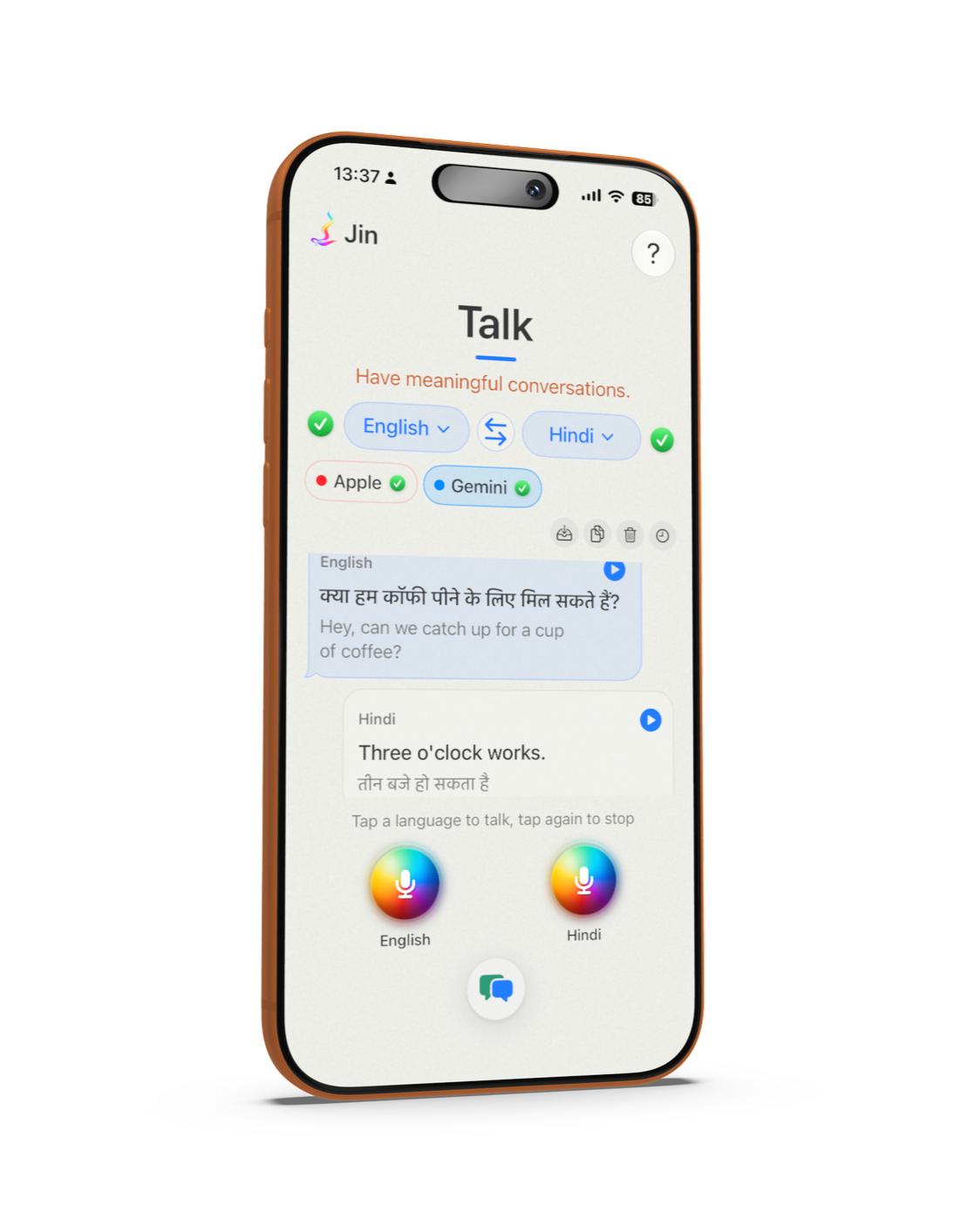
Jin's “Talk” tab takes the pressure off in those sticky situations where you don't speak the language. Pick two languages, put the phone between you, and have a real conversation across the barrier.
Each person taps their own language and just speaks. Jin transcribes it, translates it, and says it back in the other language, out loud and on screen.
No typing, no app-switching, no passing the phone back and forth. Just two people talking, each in the language they think in.
When you're done, save it to your Library, WhatsApp it to a friend, or just delete it.
See how it works
Frequently Asked Questions (FAQs)
-
Jin Mobile does four things: dictate into any app, capture and hold your thoughts, talk to anybody in their language, and turn your meetings into notes, summaries, and even mind maps (coming soon).
Dictate into any app. Through the Jin Mobile keyboard, you talk instead of type, straight into email, messages, chat, anywhere you write. Your words come out polished: filler gone, punctuation in, emails and numbers formatted.
Capture and hold your thoughts. Tap record and think out loud. Jin Mobile trims the dead air, transcribes you on your phone, titles the note, and files it in a searchable Library. Prefer to type? Double-tap to write one by hand.
Talk to anybody in their language. Two people each speak their own language and hear the other's, so you can hold a real conversation across a language barrier.
Turn your meetings into notes, summaries, and even mind maps (coming soon). Record a meeting, or bring in one you already have, and Jin Mobile writes it up. Transcription is free on your phone; add your own Deepgram key and it labels who said what.
All of it works in 100+ languages, on your phone. Connect Notion and every note also lands there, audio and transcript both. Transcription and cleanup stay on your device, cloud features like translation use your own API keys, and there's no account to create.
-
Voice Memos is built to keep recordings. Jin Mobile is built to keep ideas.
Finish in Voice Memos and you have an audio file you'll probably never play back. Finish in Jin Mobile and you have a structured note: the audio, a transcript in your own language, an auto-generated title, your tags, and a folder, all searchable. Silences are trimmed automatically, so you're not sitting through your own pauses.
And you search by meaning, not just words. Look for "bug" and Jin Mobile surfaces the note about something that broke, even when you never said that word.
Because each note is organized from the start, your captures become something you build on: link one thought to another, append a new recording to last week's note, stitch two ideas into one. Jin Mobile can even ask you follow-up questions that take an idea deeper (coming soon).
And your notes don't stay locked in the app. Connect Notion and each becomes a full database page you can filter, link to projects, and action. Beyond Notion, Webhooks carry the same notes on to Obsidian, Todoist, Slack, and hundreds of other apps.
Record a meeting and the gap is widest of all: Voice Memos leaves you a two-hour file to sit through, while Jin Mobile hands back a transcript, a summary, and a mind map (coming soon).
Voice Memos is an archive. Jin Mobile is a continuous conversation.
-
You're describing exactly the person Jin Mobile is built for. The whole design keeps the AI on a short leash: it captures and it organizes, but it never invents, and it never authors. You hold the pen.
The transcription is built not to hallucinate. Jin Mobile's main speech models, Parakeet for English and European languages and IndicConformer for Indian ones, are transducer models: they stay anchored to your audio and write what you actually said, or nothing, instead of inventing fluent words to fill a gap. That gap-filling is exactly where many AI transcribers hallucinate, and choosing models that don't is a deliberate decision, not an accident.
Your words stay your words. A Thought is captured verbatim. Jin Mobile clears the filler and fixes the punctuation, but it never rewrites you, so it still sounds like you. The rewriting tones live only on the keyboard, they're off by default, and you can leave them off for good. Nothing you capture is ever restyled behind your back.
It suggests, you decide. Where the AI helps you organize, it only ever proposes. The title and keywords it writes for a note are yours to edit any time. Smart Suggest files a note into a folder as a suggestion, then waits for your tap to confirm it (coming soon). Explore asks you three sharp questions about a thought, but never answers them for you (coming soon). It's a librarian here, never the author.
You can always see what's going out. Not sure what a translation actually says before you send it? Lasso it back into English and read exactly what's leaving in your name. And the accuracy dashboard keeps score, drawn from your own corrections, of how often Jin Mobile hears you right, so the one number that matters is measured, not claimed.
The AI works for you, on your device or your own keys, and it never gets the last word. You do.
-
Dictate in one language, send in another. Speak your email in English and Jin Mobile types it into the app in French, or any of 100+ languages.
Read a foreign message in your own language. Copy a reply you can't read in WhatsApp or Messages, tap the lasso, and it comes back in yours.
Speak your language, read it the way you text it. Say it in Hindi, Tamil, or Bengali and get it back in Roman letters, Hinglish and all.
Scan a document straight into a note. Snap a receipt or a contract, and the text inside it turns up later when you search your Library.
A note that comes to find you. Pin a thought to a place, and it reminds you the moment you arrive at the office, the shop, or home.
Dictate in your own writing voice. Paste in a few of your own paragraphs once, and your dictation comes out sounding like you, not a robot.
Brainstorm a thought with it (coming soon). Capture an idea and Jin Mobile asks three sharp follow-up questions to take it a level deeper.
Turn a two-hour meeting into a shareable page (coming soon). Record it and get back a transcript, a summary, the action points, and a mind map to send the team.
Hand a whole thought to someone with a link. Anyone else on Jin Mobile opens it and gets their own copy, audio and all.
But this is just the tip of the iceberg. Use the app, and let Jin Mobile surprise you.
-
Jin Mobile is built by a team with over 55 years of combined experience across AI, software engineering, software design, app development, product management, design, marketing, consulting, regulatory and compliance, legal, finance, and operations. All of that shows up directly in the product.
AI is why the right speech model runs for each of your 100+ languages, why your notes title and tag themselves, and why search finds one by meaning, not just words.
Engineering is why your voice becomes text on the device, offline, and why a recording survives a dead battery or a crash.
Software design is why dictation, Thoughts, and Talk share one engine underneath, so every surface behaves the same and each improvement lifts them all at once.
App development is why Jin Mobile uses the iPhone to the hilt, with a native keyboard, home-screen widgets, Siri, and an Apple Watch app.
Design is why every screen wears the same cream paper and hand-drawn instruments, rather than stock parts bolted together.
Product is why each recorder is tuned to a length of talk, and why the defaults work the moment you open the app.
Compliance and legal are why a meeting asks for consent before it records, why there's no account to create, and why your data flows to your own accounts, never ours.
Finance is why you bring your own API keys and pay the providers directly, with no markup from us.
Consulting and operations are why Jin Mobile meets you inside the tools you already use, from Notion to your calendar, instead of asking you to move.
The result is a product weighed on every question a real business asks: can it be built, is it lawful, is it affordable, and will it actually help? That is the bar Jin Mobile is held to, and it is what makes it genuinely practical and useful.
-
Both. Jin Mobile can send a thought to almost any app through a Webhook and an automation service like Make, Zapier, or n8n, which hands it on to Obsidian, Slack, Google Sheets, and hundreds more. Or it can go to Notion directly, built in, with none of that in between. (The Webhook path needs a paid plan with one of those services. Notion works on its free plan.)
Notion is the one we built in directly, for a reason: it's where ideas go to become things.
A thought on its own is a moment. The same thought in Notion is a database row: taggable, filterable, linkable, actionable. You can filter your captures by project, link them into a brief, or pull them into a doc you're writing. The thought you had on Tuesday becomes the bullet you need on Friday.
And because Jin Mobile syncs both audio and transcript, your Notion page holds the whole thought, not just the words. Append a new recording to an existing thought and Notion gets one continuous audio file and one continuous transcript, your ideas stitched together, in the place you already work.
A meeting brings even more into Notion (coming soon): the summary sits at the top of the page with its action points as tickable checkboxes, the mind map rides along as an image, and your follow-up notes gather at the bottom.
No new app to adopt. Just the tool you already trust, finally fed by your voice.
-
Jin Mobile is built for the iPhone and Apple Watch, and it runs on the iPad today too.
iPhone. The full app. Dictate into any app with the keyboard, capture and hold your Thoughts, Talk across two languages, and turn your meetings into notes (coming soon), all in 100+ languages. Everything lands in your Library, searchable and ready to play back, whatever language you spoke.
Apple Watch. Record a thought right from your wrist, with no iPhone in hand. Out of range, it waits in a queue and syncs to your iPhone Library the moment you're back together.
iPad. Jin Mobile runs on your iPad today as the iPhone app. A native iPad app, built for the bigger screen, is on the way.
Mac. A separate Jin Mobile app made for the Mac is next on the roadmap.
It all rides your own iCloud, so capture on any device and the same Library is waiting on the rest. We're focused on doing iPhone and Apple Watch really well before we go wider, so the iPad and Mac apps have no firm date yet.
-
By default, no. Your iPhone records you, turns your speech into text, and cleans it up, all on the device. Jin Mobile runs no server, so we never see your audio or your words.
When you switch on a cloud feature, it sends your text, never your audio. Translation, tone rewrites, sharper titles, Smart Suggest filing, and romanizing mixed languages like Hinglish all run on a cloud LLM through your own Gemini key, and only your transcript text goes up.
Your audio itself reaches an outside service only in these cases, each optional and each on your own account:
Notion sync uploads the audio and transcript to your own Notion workspace.
ElevenLabs recognition, if you add a key, sends audio to your own ElevenLabs account, for a few hard languages.
Deepgram diarization (coming soon), if you add a key, sends a meeting's audio to your own Deepgram account to label who spoke. It goes only when you choose it for that meeting; the free on-device transcript keeps the audio on your phone.
Otherwise your audio stays with you: on your phone, and in your own iCloud, which keeps it across your Apple devices and nowhere else.
-
Yes, the core works offline. Recording, transcription, and cleanup all run on your iPhone, so they are fine on a plane or with no signal.
Your Apple Watch takes it further: capture a thought from your wrist with no iPhone near you at all. Out of range, it waits in a queue on the Watch and lands in your Library the moment the two are back together, transcribed and titled like any other. You can keep recording in the meantime.
What needs the internet: sharper titles, Smart Suggest filing, romanizing mixed languages like Hinglish, translation beyond the pairs Apple handles on-device, and syncing to Notion or other apps. Tone rewrites need it too, unless your iPhone runs them on-device with Apple Intelligence.
Meetings work the same way (coming soon): the transcript is made on your phone offline, while speaker labels, summaries, and mind maps need a connection.
Your thoughts save locally either way, so nothing is lost, and they sync once you are back online.
-
Whatever interrupts you, what you already said is safe. Jin Mobile is built so a recording survives the things that trip up other apps.
You pause on purpose. Tap to pause, tap again to carry on, all in the same recording. On a Thought the Rainbow Microphone becomes a play button; on the keyboard the record light blinks while it holds; a meeting simply leaves the paused stretch out, so it stays one clean take (coming soon).
A call, Siri, or an alarm comes in. These grab the microphone, so Jin Mobile steps aside on its own and holds your place. A Thought pauses with a calm "Paused for the incoming call," and you resume the same recording after. On the keyboard, Jin Mobile finalizes what you had and drops it into your app; tap the mic again and the new words land right after the last. A meeting waits on a blinking Pause to resume once the call ends (coming soon). On the Apple Watch, the take ends and travels to your phone, where you tap Append to finish it.
The app closes, crashes, or the battery dies. The audio up to that moment is kept. Open Jin Mobile again and the recording comes back on its own, tagged Recovered, then transcribes and titles itself like any other. A cut-off Thought returns to your Inbox, a cut-off meeting to the Meetings inbox (coming soon).
You delete something by mistake. A deleted Thought waits in Deleted Thoughts for 30 days, one tap to restore. A dictation you lost stays in Dictation History, ready to copy back or save to your Library.
The rule underneath all of it: your audio is saved as you speak, so an interruption can pause you, but it can't lose you.
-
Nothing you capture is ever one tap from gone. Jin Mobile keeps a safety net for both, and you manage all of it in one place, under History in Settings.
A thought you deleted. It doesn't vanish, it moves to Deleted Thoughts, a holding bin. Tap Restore and it goes back to its folder exactly as it was. The audio still plays while it waits there, so you can hear a thought before you let it go for good. You decide how long the bin holds things, anywhere from 1 to 60 days (30 by default), and you can delete something outright with a swipe when you're sure. And if you sync to Notion, your Notion page is never touched, so even a thought you delete for good still lives on there.
A dictation that never landed. Every keyboard dictation is kept in Dictation History, a private copy Jin Mobile saves the moment you finish, whether or not the text made it into the app you were writing in. Open the list, and Copy sends the words back to your clipboard, or Save to Library keeps them as a titled note. You choose how long these are held, from 15 minutes to forever, and you can search the list to find an old one fast.
Managing it all. History, in Settings, is the hub for looking back and clearing out. Alongside Deleted Thoughts and Dictation History, it has Purge, a bulk cleanup that filters by folder, tag, status, people, or date and clears a whole batch at once, non-destructively, so a wrong filter is never costly, since everything still lands in Deleted Thoughts first. It also holds Audio Retention, which sets how long each recording's audio is kept before it clears to save iCloud space, with the transcript always staying put.
-
More than 100, and each one runs on the on-device model that handles it best:
Parakeet covers English, the major European languages, Mandarin, Japanese, and Vietnamese.
IndicConformer covers the Indian languages.
WhisperKit covers the long tail, taking the count past 100 in all.
You pick a language and speak it, and that single model does the work, offline and on your phone. It's the same set everywhere you capture: Thoughts, dictation, and Talk.
Meetings transcribe with those same on-device models (coming soon): all 100+ work on your phone, but the speaker labels that say who spoke need Deepgram, which covers ten of them: English, Hindi, Spanish, French, German, Russian, Portuguese, Japanese, Italian, and Dutch. Any other language still records and transcribes, just without the labels.
A note on mixing. For the cleanest result, speak one language at a time. A few English words dropped into another Latin-script language, like German, will usually hold up. But mixing across very different scripts, like English inside Japanese, will not, so it is better to keep each capture clean.
There is one place mixing is built in on purpose. For Hindi, Tamil, and Bengali, you can speak the natural blend with English, Hinglish, Tanglish, or Banglish, and Jin Mobile writes it out in Roman letters for you. That romanizing step uses your Gemini key. Singlish is the exception: Jin Mobile keeps your words exactly as you say them, lah and all, right on the phone with no key needed.
-
Open our template and tap Duplicate to copy it into your workspace:
In Settings → Integrations → Notion, tap Connect and authorize Jin Mobile in Safari. That's the sign-in, no token to copy or paste.
Point Jin Mobile at your copy: it finds your databases automatically, or paste the URL of the page you just duplicated.
Jin Mobile tests the connection and shows the schema it detected.
Under a minute, start to finish.
-
You're not tied to it. Through a Webhook and an automation service like Make, Zapier, or n8n, Jin Mobile can send your thoughts to almost any app: Obsidian, Slack, Google Sheets, Todoist, and hundreds more. A thought's due date also lands in your Apple Calendar, and reminders find you by time or place.
And even with no integration at all, Jin Mobile works fully on its own. Your thoughts live in the Library with playback, tags, folders, and search, and you can copy any transcript straight from the thought. Your audio also sits in your iCloud Drive (the "JinMobile Notes" folder), so you can open or share it from Files like any other file.
Why send them out at all? Backups. Anything kept in only one place can be lost, so it helps to have a copy somewhere separate, off your phone and apart from your iCloud. A lost or broken phone then never takes your thinking with it. Notion is the easiest second home, sitting entirely apart from your Apple world, and a thought you delete for good in Jin Mobile still stays safe there.
Nothing is pushed anywhere unless you choose to.
-
Both are strong, and both are honest about where they vary by language.
Transcription runs in two on-device passes:
Apple's engine gives a live transcript as you speak, then a higher-accuracy model produces the final version. That model is matched to your language: Parakeet for English, European languages, Mandarin, Japanese, and Vietnamese; IndicConformer for Indian languages; WhisperKit across the long tail, 100+ in all. We paired each language with its strongest model one by one, and validated with native speakers where we could find them.Translation works the same way, the right engine for the pair: Apple's on-device translator, private and free across its major pairs, or Gemini with your own key, which reaches far more, including the Indian languages Apple doesn't.
For both, accuracy is highest on the major languages and tapers further down.
Transcription shows a grade per language so you know what to expect, and translation lets you switch between Apple and Gemini for the best fit.
Transcription runs on your device; translation stays on-device with Apple, or goes to the cloud with Gemini. -
Yes. Jin Mobile runs on iOS 17.4 and later, and it is built for iOS 27, where it adds two things.
Siri. Capture a thought hands-free, search the Guide by voice, or ask Jin Mobile a question and hear the answer read back.
On-device AI. Tone rewrites and Explore run on Apple Intelligence, right on your phone, free and private.
Both need an iPhone 15 Pro or newer with Apple Intelligence, and Siri needs iOS 27.
Hit a snag? Contact Us is in the About section of Settings.
-
The current release brings Meetings: record a meeting, see who said what, have speakers named by their voice, and get a summary in the template you choose, with a mind map and to-dos. Plaud recordings arrive on their own. A full User Guide is built into the app, and Contact Us is in Settings. We ship often, so Jin Mobile keeps getting better from the day you install it.
-
Yes. Starting with version 1.5.88, a full User Guide is built right into Jin Mobile, so help is always a tap away. It works 100% offline, because it lives in the app, not on a website you have to hunt through.
It covers every part of Jin Mobile, grouped into Start Here, Dictation, Thoughts, Library, Talk, and Settings. Search it by what you want to do, like "Notion" or "reminders," and it takes you straight to the page. Follow the cross-links between related topics, and open any feature to see exactly how it works. Every section starts with an Icon Key that says what each button does, next to hand-drawn pictures of the real screens, so you're never guessing what a control means.
But you don't have to learn it all to begin. The everyday loop is one tap: open Thoughts, tap the Rainbow Microphone, talk, and it saves a clean, titled note. Sensible defaults mean it works the moment you install it, and everything else waits until you want it.
Whether you are capturing your first thought or wiring up Notion, the answer sits right there in the app with you.
-
Starting with version 1.5.88, every release tells you exactly what changed, right inside the app. Open What's New to see the latest features and improvements laid out clearly, so you always know what each update brings.
No more guessing at a vague "bug fixes and improvements" line. From 1.5.88 on, the full story of every release lives in Jin Mobile itself.
And there's plenty on the way right now. A few of the highlights coming soon:
Meetings. Record a meeting, or drop in a recording you already have, and get back a transcript, a summary, the action points, and a mind map to share, with speaker labels for who said what.
Explore. Jin Mobile brainstorms a thought with you, asking three sharp follow-up questions to take it a level deeper.
Smart Suggest. Your Inbox files itself, each thought sorted into the right folder for you to keep or change.
Find & Replace. Fix a misheard name across a whole transcript in one tap, not one word at a time.
Open What's New after any update to catch the rest.
-
$17.99, one time. No subscription, no in-app purchases. Buy it once and it's yours.
This is an early price, and it isn't going to stay here. As Jin Mobile grows, with the iPad app and more on the way, the price will go up. Buying now is a one-time purchase, so you lock in today's price and keep every update that follows at no extra cost, even after it rises for everyone else.
There's no free trial, since the App Store takes payment up front. But there's little risk in trying it: if it turns out not to be for you, you can request a refund from Apple at reportaproblem.apple.com.
Beyond the app itself, nothing is metered and nothing else is paid to us. The optional cloud features run on your own free Gemini key (see "Do I need an API key?").
-
You pay for Jin Mobile once, and that's it. No subscription, no tokens, nothing metered. The core runs free on your phone forever: recording, transcription, cleanup, search, and your Library.
An API key is optional, and only for the enhanced features: translation, tone rewrites, romanizing mixed languages like Hinglish, sharper AI titles, and Smart Suggest auto-filing. These run on a cloud model through your own key.
We are careful about your spending, so the base is built around Gemini's free tier, which is generous enough for most people. Create a free Gemini key, paste it in once, and these features light up at no cost. Only very heavy use would push you past the free limit into Google's paid pricing, and Jin Mobile paces itself to stay well within the free quota.
Two other keys are optional, and both bill you directly, never through Jin Mobile:
ElevenLabs, for recognizing a few hard languages. Its free tier is small, so steady use may need a paid plan. It is the only outside service that ever processes your recording, and only if you switch it on.
An automation service like Make, Zapier, or n8n, only if you want to send thoughts to apps beyond Notion through Webhooks. That path needs a paid plan with one of them.
And Notion itself is free: it works on Notion's own free plan, with no key to manage.
-
There is just one: Apple's App Store. Jin Mobile is available in 172 countries and regions, across every part of the world. Click on the link on this page to go to your country’s app store on your iPhone.
Americas. United States, Canada, Brazil, Mexico, and across Latin America and the Caribbean.
Europe. The United Kingdom, the European Union, and beyond.
Asia. India, Japan, and across the region.
Middle East. The UAE, Saudi Arabia, Qatar, and more.
Africa. Nigeria, Kenya, South Africa, and more.
Oceania. Australia, New Zealand, and the Pacific islands.
-
The fastest answers are already inside the app. Jin Mobile's built-in User Guide is searchable by whatever you're trying to do, so a quick search usually turns up the answer.
When you'd rather talk to a person, reach us straight from the app. Contact Us, new in 1.5.88, sends your question or problem report to us without leaving Jin Mobile. Prefer email? Write to any time. Either way it reaches the people who make Jin Mobile, and you'll usually hear back within a day.
Refunds are handled by Apple, at reportaproblem.apple.com.